Official Guarantee | Direct connection to official models with stable generation, no throttling, and no degraded quality! Pro plans are on sale.Upgrade Now

Photo references · Style exploration · Profile picture crops

AI Avatar Generator

Describe a person and a visual style to explore portraits for a profile picture. Browse the examples, then upload your own reference photo and try a direction.

Sign in to generate images. A 1K square image costs 1 credit. Other resolutions and image counts are charged according to your settings. Check facial features and likeness, then preview square or circular profile picture crops.

Profile/Avatar - Watercolor Anime Male Portrait: AI avatars example

Profile/Avatar - Watercolor Anime Male Portrait

Inspiration example · Source: Jahan Zaib · Generated results may vary

Choose a direction for your project

Natural portrait avatars

Try a simple background and soft lighting. Keep the expression and a clear facial outline at the center.

Watercolor and anime avatars

Describe the medium, linework and colors, along with the hairstyle, glasses and other features you want to preserve.

Minimalist profile pictures

Reduce background detail and props. Leave room around the head so hair, ears and glasses remain visible after cropping.

AI avatars: inspiration and prompt templates

These examples come from their original creators in the inspiration library. Use them as visual references; they have not all been tested on image2.vip. Use the examples for portrait style ideas. Replace the example person, clothing and appearance with your own requirements. Upload a clear reference photo when you want the result to reflect your features.

Profile/Avatar - Watercolor Anime Male Portrait

Watercolor anime portrait

Profile/Avatar - Watercolor Anime Male Portrait

Explore an illustrated profile picture with soft watercolor, glasses and expressive features.

What to check: Check the hairstyle, glasses shape and facial features. Adjust decorative elements and cropping.

Source: Jahan Zaib
Profile/Avatar - Minimalist Japanese Film Portrait

Natural-light portrait

Profile/Avatar - Minimalist Japanese Film Portrait

Use window light and a simple setting to focus attention on expression.

What to check: Replace the example person and clothes. Check eyes, skin tone and face placement.

Source: 水木易
Profile Avatar - Watercolor and Ink Woman Portrait

Watercolor and ink portrait

Profile Avatar - Watercolor and Ink Woman Portrait

Explore ink outlines and paper texture for a hand-drawn profile picture.

What to check: Check hair and facial contours, and make sure brushwork does not obscure the features.

Source: Jack
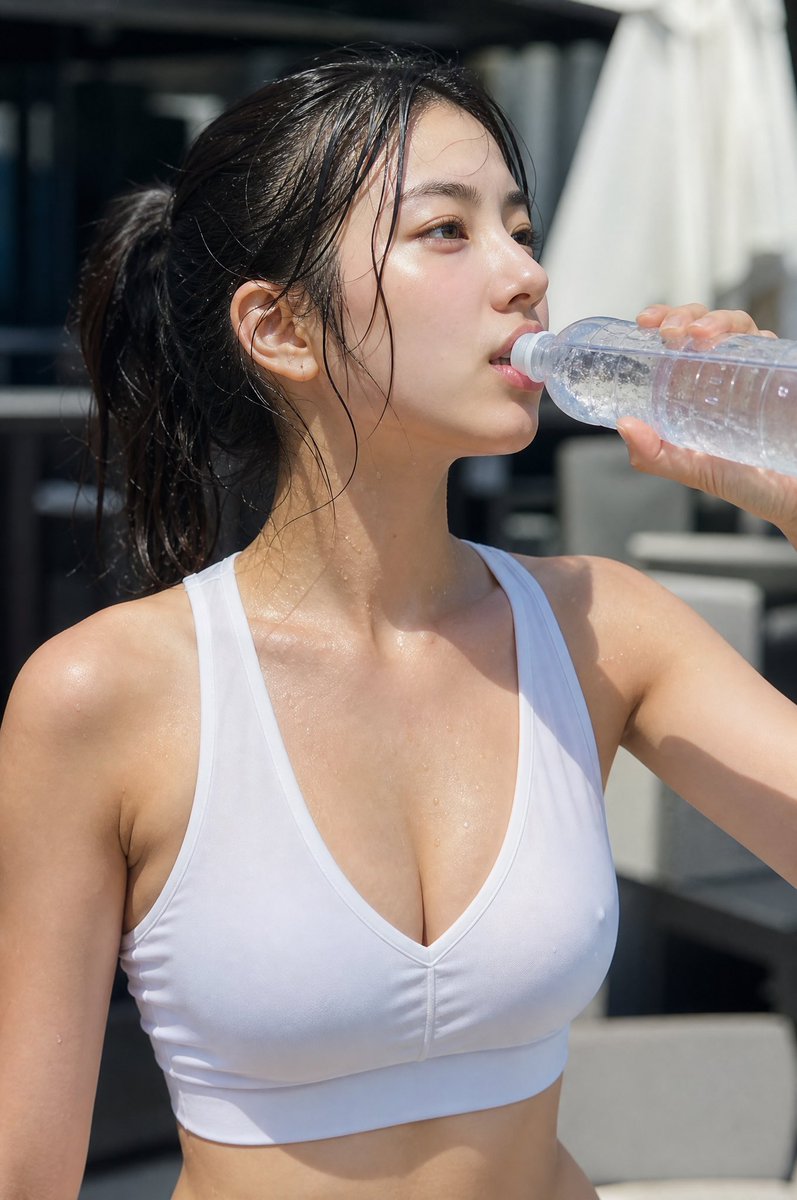
Profile/Avatar - Minimalist Athletic Fashion

Minimalist close-up

Profile/Avatar - Minimalist Athletic Fashion

Use a simple close-up to reduce background distractions and keep the person recognizable.

What to check: Replace the person and clothing. Keep the whole face visible and leave space at the edges for cropping.

Source: David
Explore more AI avatars ideas

How to create and check your avatar

  1. 1

    Prepare a clear reference photo

    Choose an evenly lit photo with the whole face visible and key features unobscured. You can also describe an original fictional character in text.

  2. 2

    Choose one main style

    Start with a natural portrait, watercolor or anime direction. Then describe hair, glasses, clothes and expression without conflicting style requests.

  3. 3

    Adapt the prompt and generate

    Replace the example person and upload your photo in the generator. Try one square image first to assess style and likeness.

  4. 4

    Check details and the final crop

    Check facial features, glasses and hair. View the image at a small size and preview circular or square crops before using it as a profile picture.

Describe appearance and style separately

Separate the features to preserve from the style to change. Then define the background and composition so each result is easier to evaluate.

Stylization can change appearance. Even with a photo, the result may not look exactly like you.

Use my uploaded portrait as a reference to create a soft watercolor profile picture. Preserve the hairstyle, glasses and facial outline as closely as possible, with a relaxed smile. Use a light beige background and a chest-up composition with the face centered. Leave space above the head and at both sides for cropping. Do not add text, logos or elaborate props.

AI avatars: frequently asked questions

Do I have to upload a photo of myself?

You can use text alone to explore fictional characters or portrait styles. If you want to reflect your own appearance, upload a clear reference and describe features to check, such as hair and glasses.

Will the result look exactly like me?

No. Generation and stylization may alter facial features, skin tone or proportions. Compare the result with your photo and adjust the prompt or reference if needed.

Why do parts of the avatar get cropped out?

The generated composition may differ from the display area of a profile picture. Request a centered person, a simple background and space around the edges, then preview circular and square crops.

Can I use this to make official ID photos?

This page is for personal avatars and stylized portraits. It does not validate ID photo specifications. Check the required size, background, pose and other rules separately for official documents.

Does using a prompt also add the example image?

Only the selected prompt is loaded into the generator. The example image is not added automatically. Replace the example people, products, brands and text with your own details, and upload your own reference images when needed.

Do I need to sign in, and how are generations charged?

You can browse examples and guides without an account. Sign in to submit a generation. Credit usage depends on output resolution and image count, and available settings depend on your plan. See the pricing page for details.

Find an avatar style that suits you

Adapt the person description, upload a reference and inspect one result first.

Open generator

Explore more ways to create