Official Guarantee | Direct connection to official models with stable generation, no throttling, and no degraded quality! Pro plans are on sale.Upgrade Now

Brand names · Visual symbols · Color exploration

AI Logo Concept Generator

Start with what your brand should express and explore a recognizable symbol or wordmark. Try a few directions, then check the name, silhouette and appearance at small sizes.

Sign in to generate images. A 1K square image costs 1 credit. Other resolutions and image counts are charged according to your settings. The output is an image. Exact lettering, transparent backgrounds and vector files need further checking or separate production.

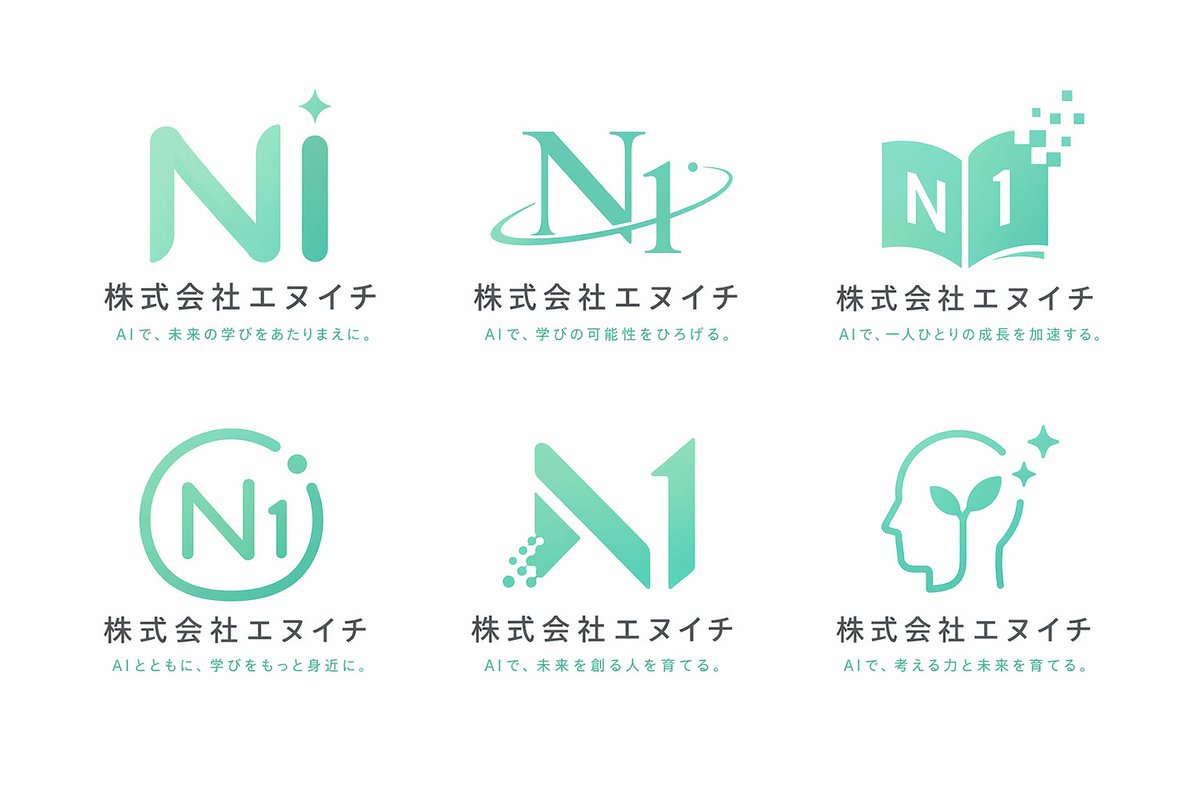
6-Grid Corporate Logo Concept Board: Logo concepts example

6-Grid Corporate Logo Concept Board

Inspiration example · Source: 河村風真 · Generated results may vary

Choose a direction for your project

Company and project logos

Describe the brand name, industry and key qualities. Explore a visual mark using simple shapes and a small color palette.

Wordmarks and personal brands

Specify the exact name, letters and typographic style. Compare the relationship between text and symbol, then check recognition at a smaller size.

Colors and brand application concepts

Extend a logo direction into a color palette or a few application mockups. Check that the name, colors and shape remain consistent.

Logo concepts: inspiration and prompt templates

These examples come from their original creators in the inspiration library. Use them as visual references; they have not all been tested on image2.vip. These are visual concepts, not editable brand source files. Replace the example brands, names and taglines. Simplify complex grids or application boards into one logo direction first.

6-Grid Corporate Logo Concept Board

Comparing company logo directions

6-Grid Corporate Logo Concept Board

Study the relationship between symbols, letters and headings. Compare a small set of concepts for a recognizable silhouette.

What to check: Replace company names and Japanese text. Start with fewer options and verify every letter and name.

Source: 河村風真
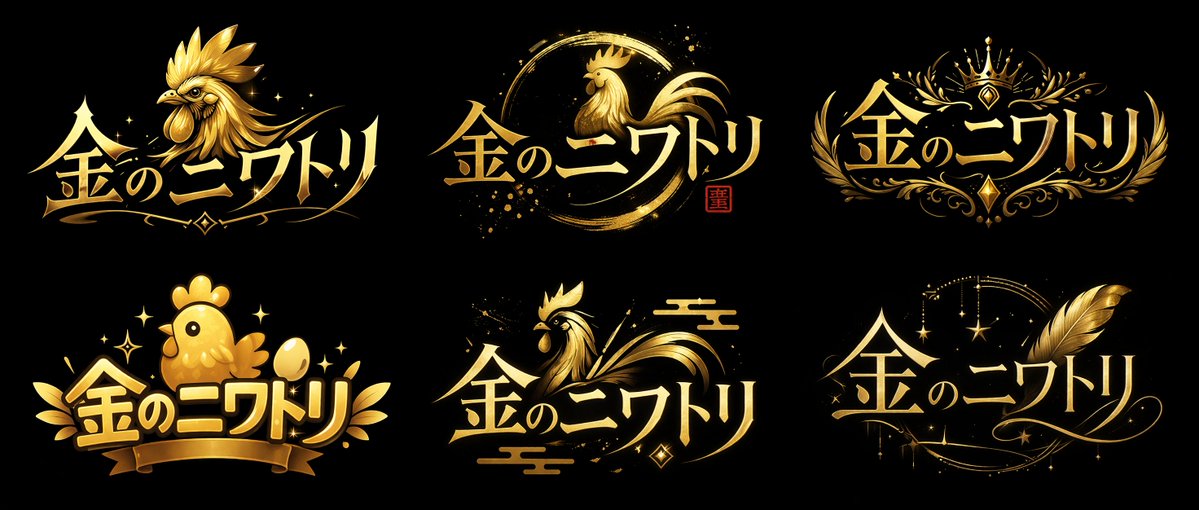
VTuber Logo Concept Grid

Personal brands and decorative wordmarks

VTuber Logo Concept Grid

Compare wordmark and symbol styles around one theme, then choose a direction that suits your own name.

What to check: Replace the name and theme. Reduce the display size to check whether decoration makes the lettering harder to read.

Source: 金のニワトリ
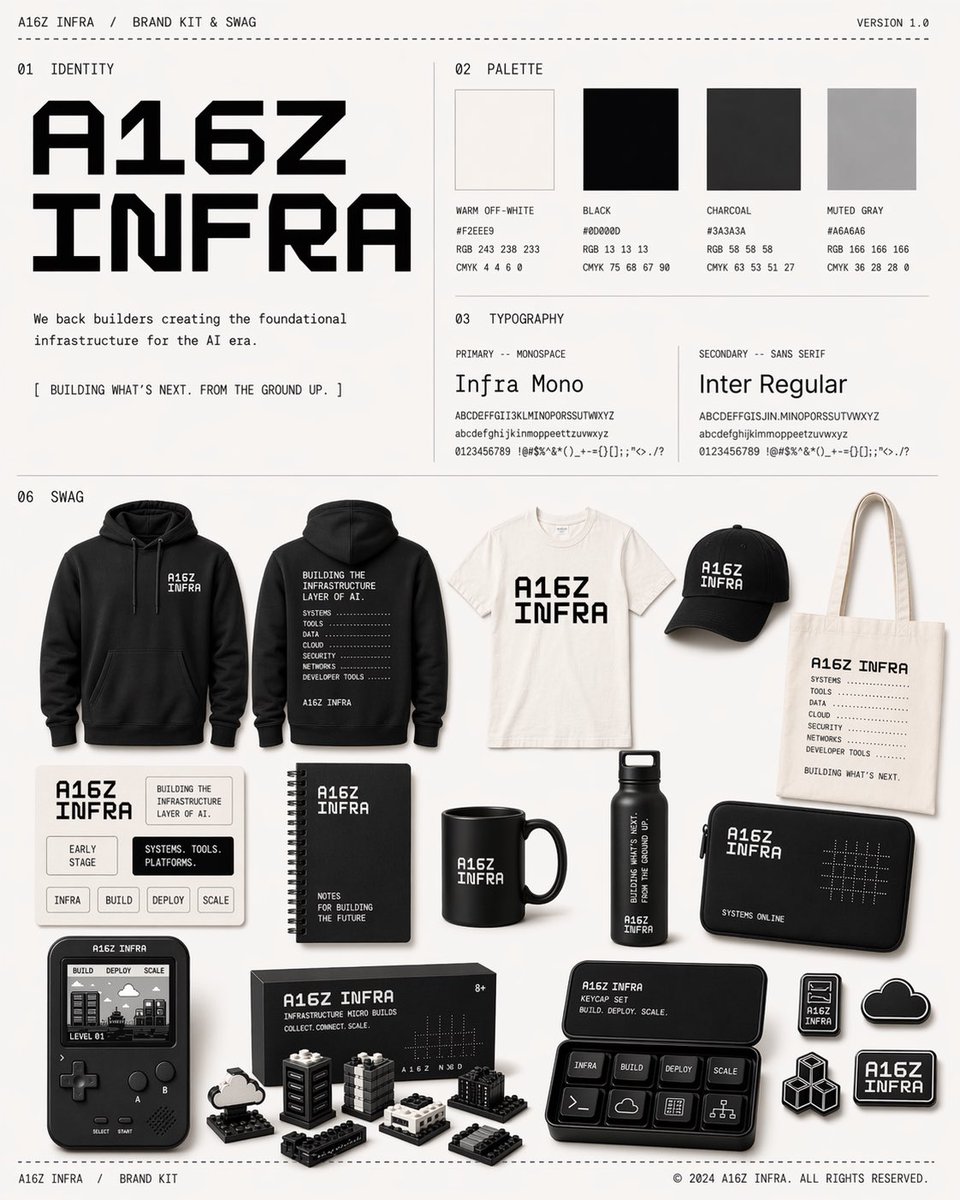
Monochrome Infra Brand Toolkit Project

Monochrome brand applications

Monochrome Infra Brand Toolkit Project

Use black-and-white colors, a clear typographic hierarchy and a few mockups to explore a consistent brand identity.

What to check: Replace the example brand and tagline. Check that every logo is consistent; application images are not editable source files.

Source: Olivier Sauvage
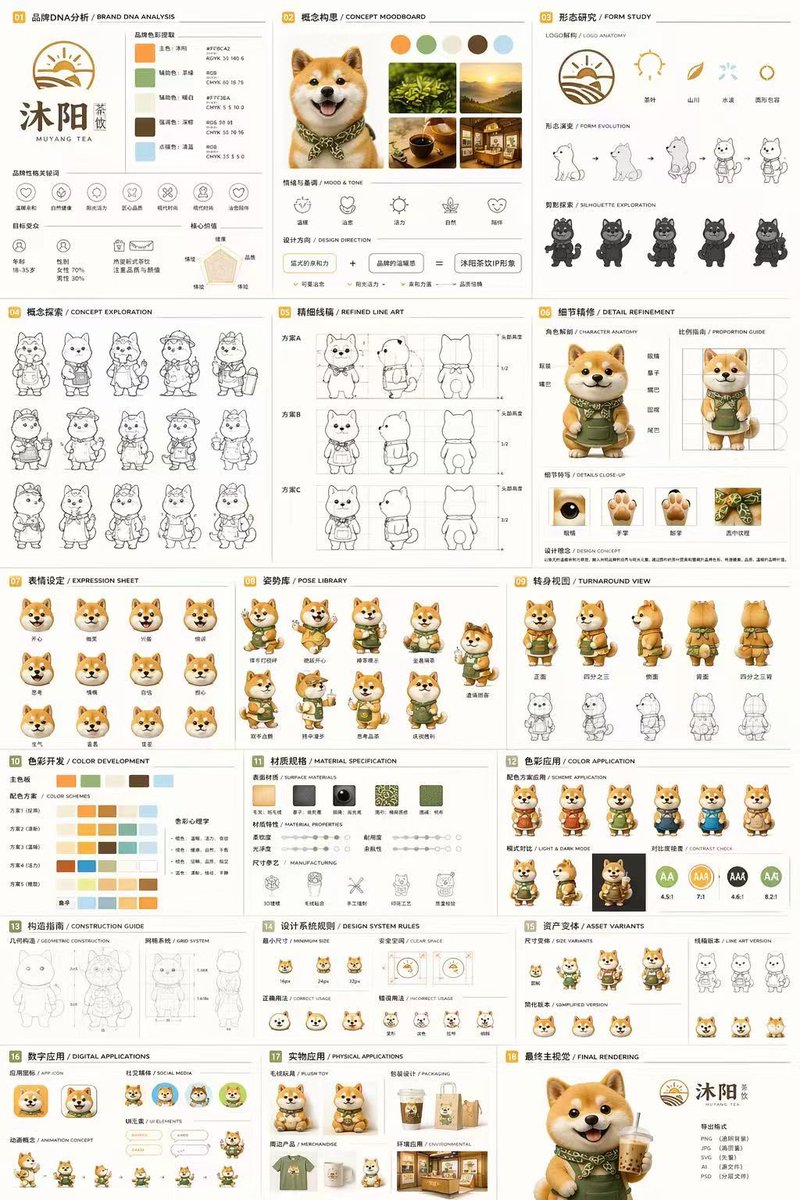
18-Panel Mascot Branding Guide

Mascots and brand identity concepts

18-Panel Mascot Branding Guide

Combine a mascot, color palette and logo in a few sections to express one brand direction.

What to check: Replace the tea brand and character. Simplify the 18-panel layout and check the name, colors and character appearance.

Source: Lee Colin
Explore more Logo concepts ideas

Define the brand, then compare logo directions

  1. 1

    Specify the name and brand qualities

    Provide the exact name, industry and one or two key qualities. Decide whether you want a symbol, a wordmark or a combination.

  2. 2

    Limit shapes and colors

    Start with a small color palette and one visual theme. Specify a simple background, clear silhouette and surrounding space, with minimal decoration.

  3. 3

    Adapt a template and generate a concept

    Replace the example brand in the homepage generator and try one direction first. Upload reference images if you want to work from an existing palette or sketch.

  4. 4

    Review and refine

    Check the name and preview the design at small sizes and in monochrome. Once you choose a direction, refine the lettering, edges and background or create a vector version.

Separate brand meaning from visual requirements

Express the brand through one simple theme, then limit the colors, shapes and lettering so you can compare how recognizable each concept is.

This is a prompt example for a logo concept. The output image does not automatically become an SVG, font or editable design file.

Explore a simple symbol for a fictional reading community called "Between the Pages". Combine an open book with a leaf, using geometric shapes, a single dark green color and a pure white background. Center the mark with space around it and a clear silhouette that remains recognizable at a small size. Draw only the symbol. Do not add brand text, taglines, gradients, shadows or application mockups. Lettering will be added in a later design step.

Logo concepts: frequently asked questions

Can I download an SVG or editable vector file?

The current generator outputs images, not SVG, AI or other editable vector source files. After selecting a concept, redraw it or use a design tool to create a vector version.

Will the logo automatically have a transparent background?

This is not guaranteed. You can request a simple solid-color background, but still need to check the background and edges. Transparency requires a separate step.

Why might the brand name contain typos?

Generated lettering may contain incorrect strokes or letters. Provide the exact name and check it character by character. For a precise wordmark, generate the symbol first and design the lettering separately.

Can I use a concept across all brand materials immediately?

First check small sizes, monochrome versions and different backgrounds. Correct the name, edges and inconsistencies across applications. The current tool does not provide a complete brand standards system or verify that a logo is exclusive to your brand.

Does using a prompt also add the example image?

Only the selected prompt is loaded into the generator. The example image is not added automatically. Replace the example people, products, brands and text with your own details, and upload your own reference images when needed.

Do I need to sign in, and how are generations charged?

You can browse examples and guides without an account. Sign in to submit a generation. Credit usage depends on output resolution and image count, and available settings depend on your plan. See the pricing page for details.

Explore a logo direction for your brand

Describe the name and key qualities. Try one simple symbol, then compare and refine.

Open generator

Explore more ways to create