Official Guarantee | Direct connection to official models with stable generation, no throttling, and no degraded quality! Pro plans are on sale.Upgrade Now

Character design · Multiple views · Outfits and expressions

AI Character Sheet and Reference Image Generator

Define what your character looks like before exploring stories and expressions. Specify the hair, clothing, colors and signature accessories to create a character sheet you can refer to again.

Sign in to generate images. A 1K square image costs 1 credit. Other resolutions and image counts are charged according to your settings. Compare appearance and clothing across views. Reference images do not guarantee that later generations will always preserve the same character.

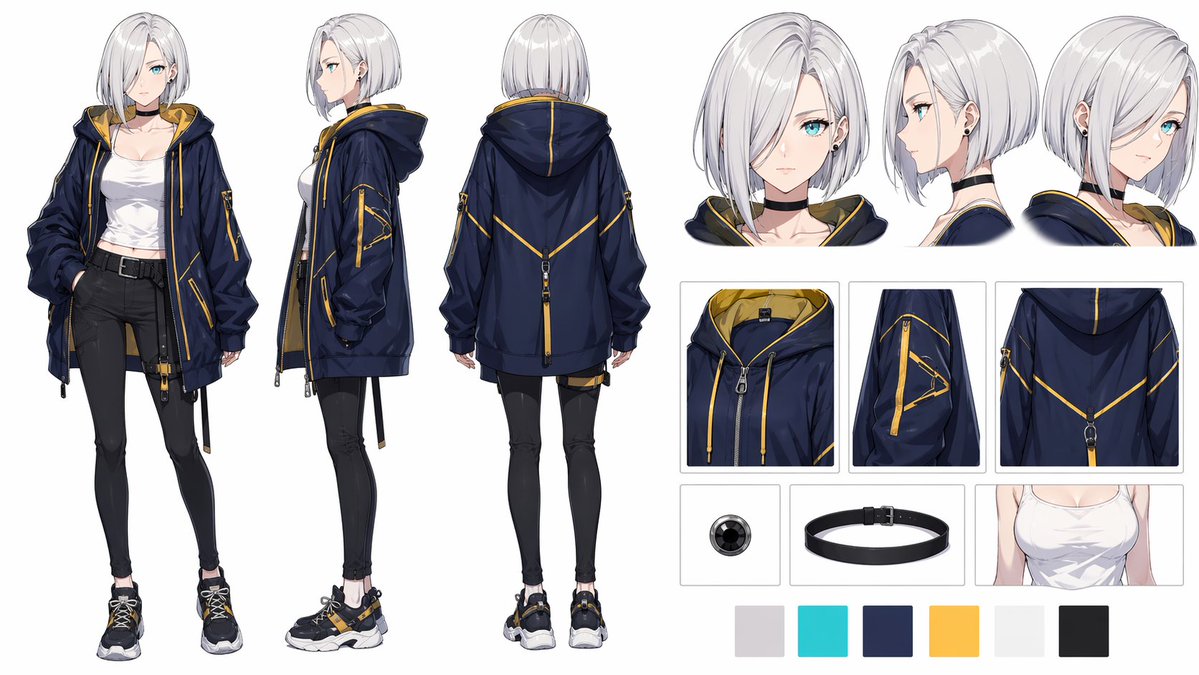
Anime Streetwear Character Design Sheet: Character sheets example

Anime Streetwear Character Design Sheet

Inspiration example · Source: Diseño 4.0 · Generated results may vary

Choose a direction for your project

Original character designs

Define a silhouette, a color palette and signature accessories. Build a recognizable character from a small set of clear features.

Front, side and back views with outfit details

Specify the layout of the three views and reserve separate areas for clothing and props. Check that details correspond across views.

Expression and pose references

Keep the character description fixed while exploring a few expressions and poses as visual references for comics or reaction images.

Character sheets: inspiration and prompt templates

These examples come from their original creators in the inspiration library. Use them as visual references; they have not all been tested on image2.vip. Use these examples to explore character appearance and reference sheet layouts. Replace the names, accessories and language. Upload your own reference image to work from an existing design, and start with fewer views or sections for complex sheets.

Anime Streetwear Character Design Sheet

Character turnaround and streetwear

Anime Streetwear Character Design Sheet

Study front, side and back views alongside outfit details to show the same design from different directions.

What to check: Compare hair, zippers, straps and shoes. Look for clothing changes or missing pieces between views.

Source: Diseño 4.0
Blue-Haired Anime Character Design Collection

Character and expression studies

Blue-Haired Anime Character Design Collection

Explore a combination of a main portrait, full-body views and head studies to establish colors and expressions.

What to check: Replace the sample clothing and props. Compare hair color, eyes and accessories in each image.

Source: てばさき
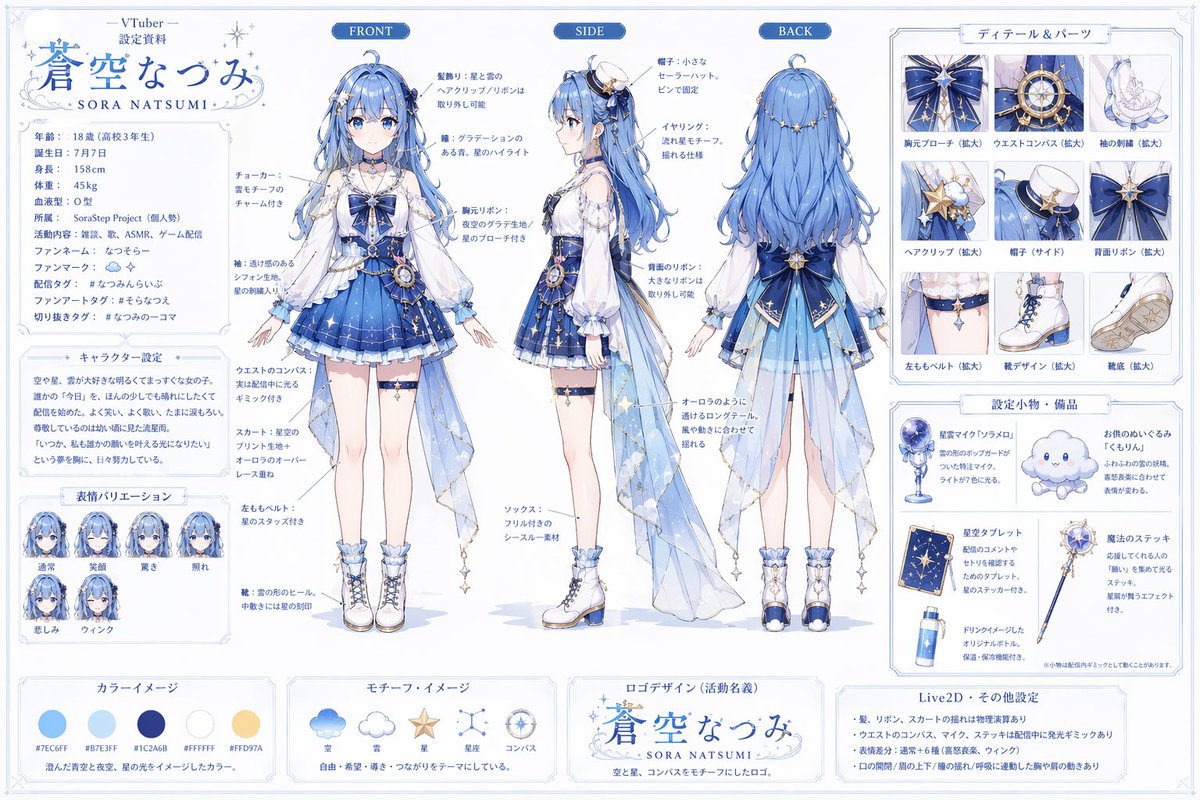
VTuber Character Design Sheet

Virtual character appearance concepts

VTuber Character Design Sheet

Study theme elements, clothing and accessory displays to define a visual direction for a virtual character.

What to check: Replace the name and character details, then inspect the design. This is a reference image, not a model ready for rigging.

Source: はげあたま
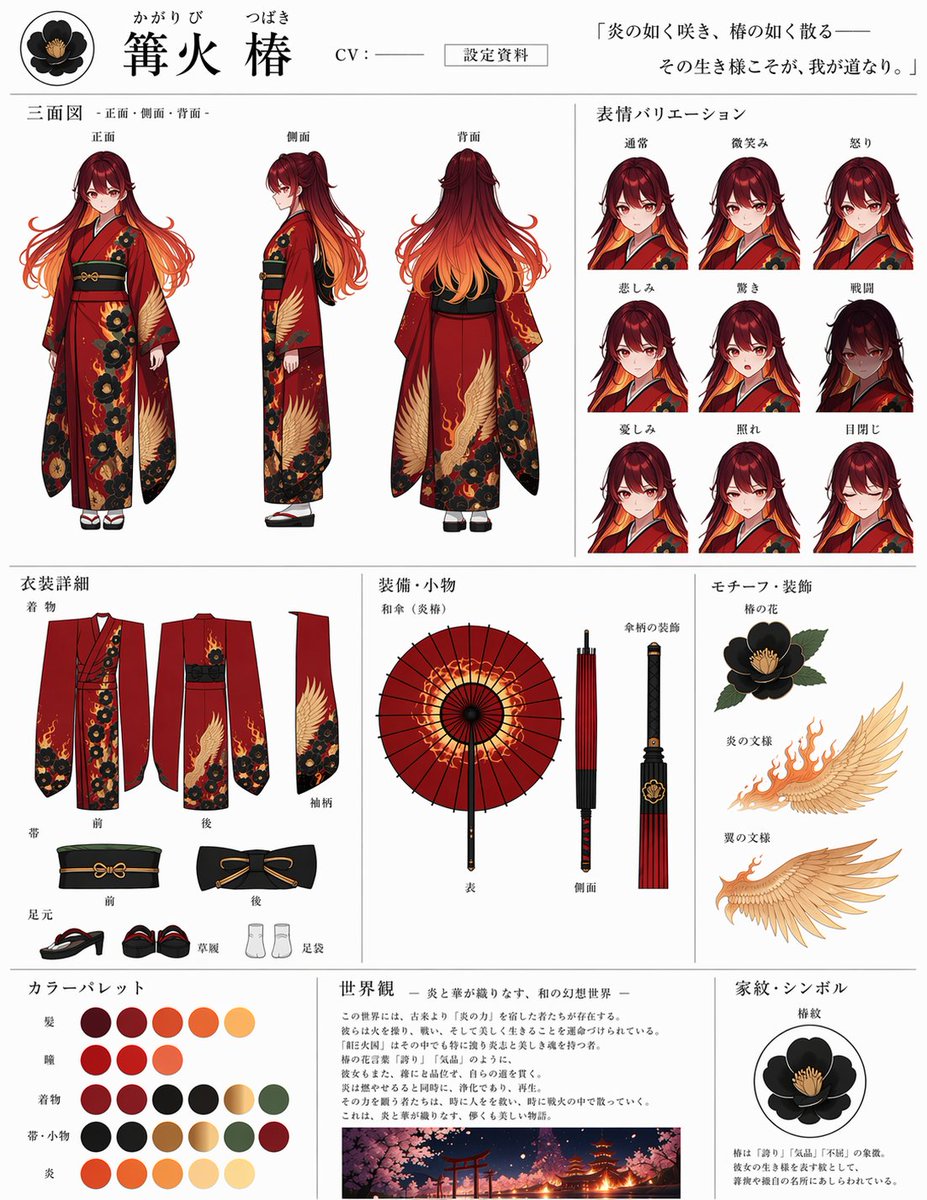
Anime Character Design Sheet Generator

Sheets based on a reference image

Anime Character Design Sheet Generator

Study a layout of turnaround views, expressions and props, starting from an existing character image.

What to check: Upload your own base character image. Begin with fewer sections, then check the appearance and text in each area.

Source: 篝火 椿 ( ⑉• •⑉)꜆🍵🍡
Explore more Character sheets ideas

Establish the design, then explore more views

  1. 1

    Write down fixed character features

    List the hair, clothing, main colors and signature accessories. Use an existing character image as a reference if available, while still describing the key features in the prompt.

  2. 2

    Choose a few views and expressions

    Start with front, side and back views or a small set of expressions. Specify the section order and body proportions rather than adding too many sections at once.

  3. 3

    Adapt the template and upload a reference

    Replace the character details in the generator. Upload an image if you want to build on an existing design, then choose a format that fits the views.

  4. 4

    Check the sheet before using it

    Compare hair, clothing and accessories across views. Save usable reference images and continue checking the character features when creating comics or reaction images later.

Keep the appearance fixed and specify each view

Describe the fixed character features first, then define the view, pose and expression for each section. Fewer accessories make comparisons easier.

Multiple views may be inconsistent, so check the result. This tool does not provide 3D models, layered files or rigging files.

Create a landscape reference sheet for an original character: an adult barista with short brown hair and round glasses, wearing a light blue shirt, a dark green apron and brown shoes. Show full-body front, side and back views from left to right, maintaining the same clothing, colors and body proportions. Plain white background, clean anime linework, soft shadows and space between the views. Do not add a name, dialogue, other characters or complex props.

Character sheets: frequently asked questions

Will clothing and proportions match exactly across all three views?

There is no guarantee. Describe the fixed appearance clearly, upload references if needed, and check the clothing, hair, accessories and body proportions in each view.

Can I use the sheet directly to create a continuous comic?

It can serve as a visual reference for later comics, but it does not lock the character appearance automatically. Keep reusing the description and reference image, and check the character in every panel.

Does it generate editable 3D or Live2D models?

The output is a character sheet image. It does not include a 3D model, Live2D layers or rigging files. It can communicate a design direction, but further production is a separate process.

What if the character sheet has too many sections?

Generate a few views or expressions first, then explore clothing and props separately. Complex layouts may contain omissions, duplicates or text errors, so review every section.

Does using a prompt also add the example image?

Only the selected prompt is loaded into the generator. The example image is not added automatically. Replace the example people, products, brands and text with your own details, and upload your own reference images when needed.

Do I need to sign in, and how are generations charged?

You can browse examples and guides without an account. Sign in to submit a generation. Credit usage depends on output resolution and image count, and available settings depend on your plan. See the pricing page for details.

Give your character a clear visual reference

Define the fixed features, choose a few views and start exploring in the generator.

Open generator

Explore more ways to create