Official Guarantee | Direct connection to official models with stable generation, no throttling, and no degraded quality! Pro plans are on sale.Upgrade Now

Photo references · Outfit styling · Photography settings

AI Portrait Generator

Explore how a person might look in different outfits, lighting and settings. Choose a studio, black-and-white or outdoor direction, upload your reference photo and compare the results.

Sign in to generate images. A 1K square image costs 1 credit. Other resolutions and image counts are charged according to your settings. Compare likeness, hands and anatomy with your reference. Poses and clothing may also change.

Social Media Post - Editorial Male Portrait in Minimalist Studio: AI portraits example

Social Media Post - Editorial Male Portrait in Minimalist Studio

Inspiration example · Source: Zulkar Naim · Generated results may vary

Choose a direction for your project

Studio and professional portraits

Use simple backgrounds, suitable clothing and natural poses. Check the face and the framing of half-body or full-body portraits.

Fashion and outdoor portraits

Describe clothing, setting and lighting separately to explore coastal, street-style or editorial portrait ideas.

Couple and group photos

Specify how many people to show, their positions and how they interact. Check each face, hands and outfit in multi-person images.

AI portraits: inspiration and prompt templates

These examples come from their original creators in the inspiration library. Use them as visual references; they have not all been tested on image2.vip. Use the examples for photography styles and pose ideas. Replace people, outfits and settings. Upload a clear reference if you want your own appearance reflected; a template does not automatically preserve identity.

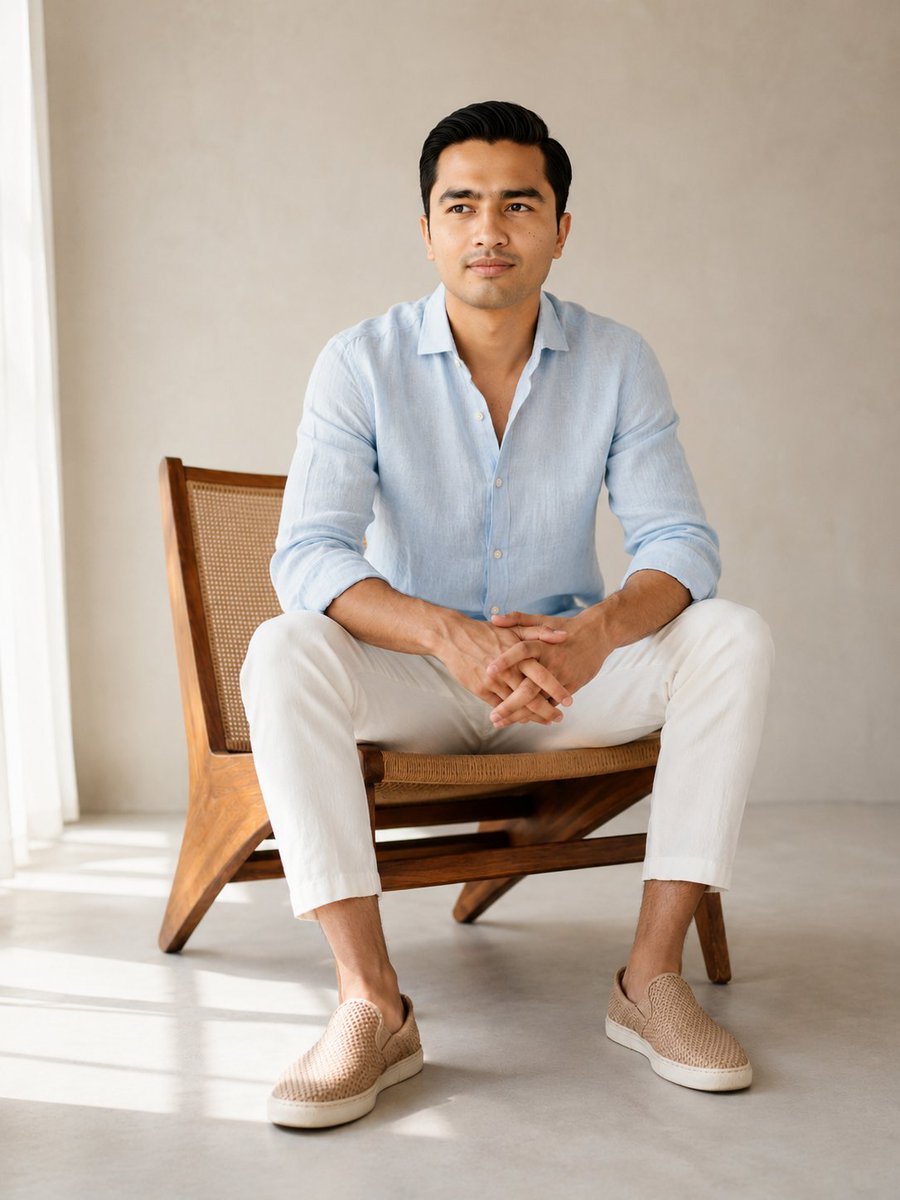
Social Media Post - Editorial Male Portrait in Minimalist Studio

Minimalist studio portrait

Social Media Post - Editorial Male Portrait in Minimalist Studio

Explore half-body or full-body portraits using simple backgrounds, seated poses, soft light and clothing details.

What to check: Replace the person and outfit. Check the face, seated pose, fingers and how the person rests on the chair.

Source: Zulkar Naim
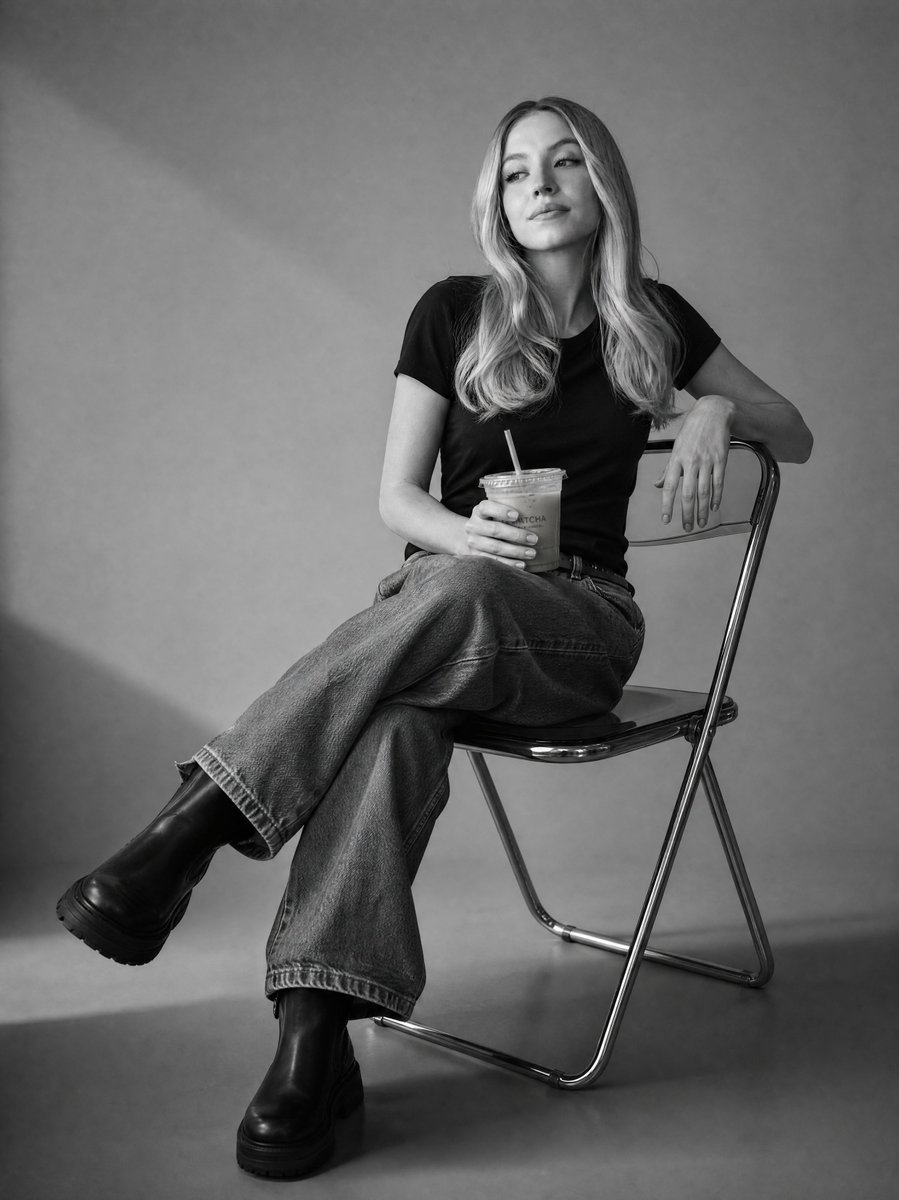
Social Media Post - Black and White Studio Portrait

Black-and-white studio photography

Social Media Post - Black and White Studio Portrait

Use monochrome lighting, simple props and a relaxed seated pose to emphasize shape and expression.

What to check: Keep descriptions of the person and handheld props consistent. Check facial features, hands and body proportions.

Source: Heisenberg
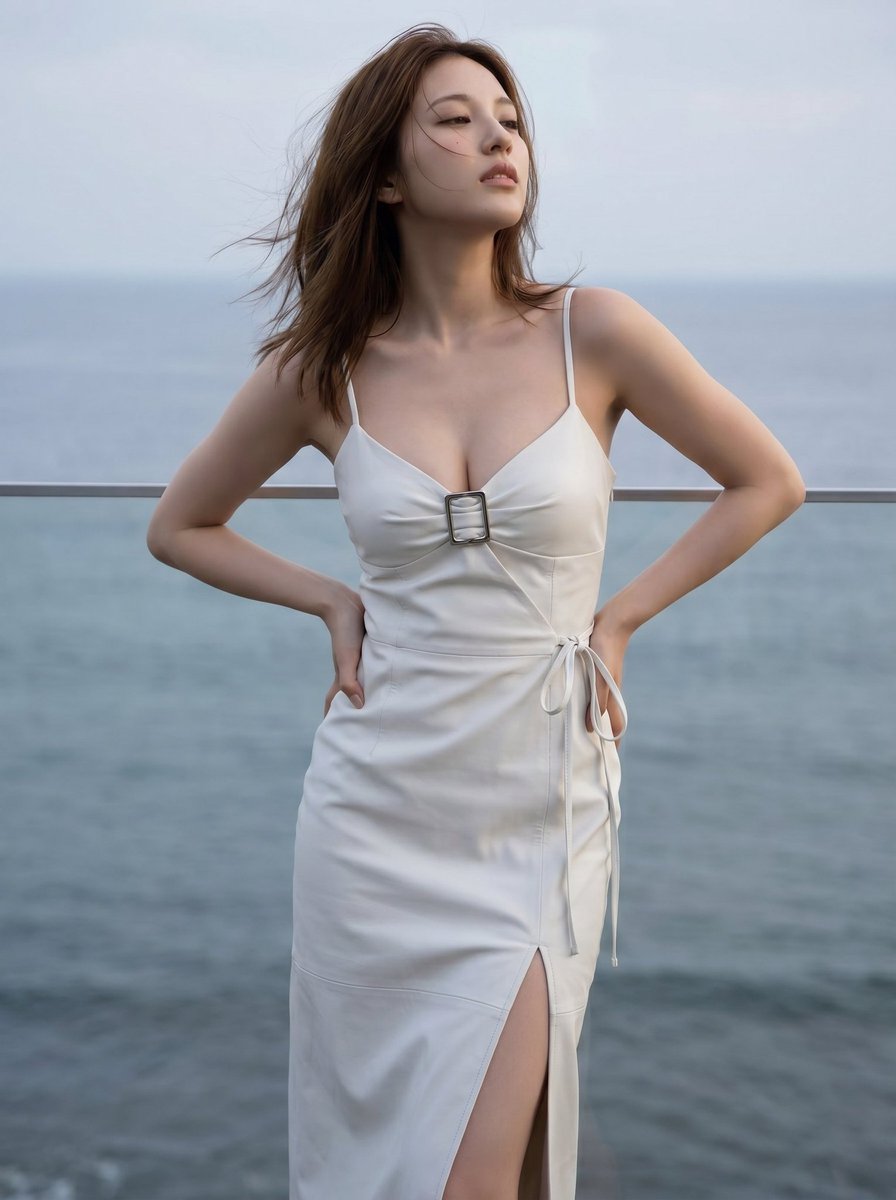
Social Media Post - Cinematic Coastal Fashion Magazine Style

Coastal fashion portrait

Social Media Post - Cinematic Coastal Fashion Magazine Style

Explore outdoor fashion photography with warm and cool colors, a coastal setting and styled outfits.

What to check: Replace the outfit and person. Check body proportions, windblown hair and how the subject fits into the background.

Source: PromptLab
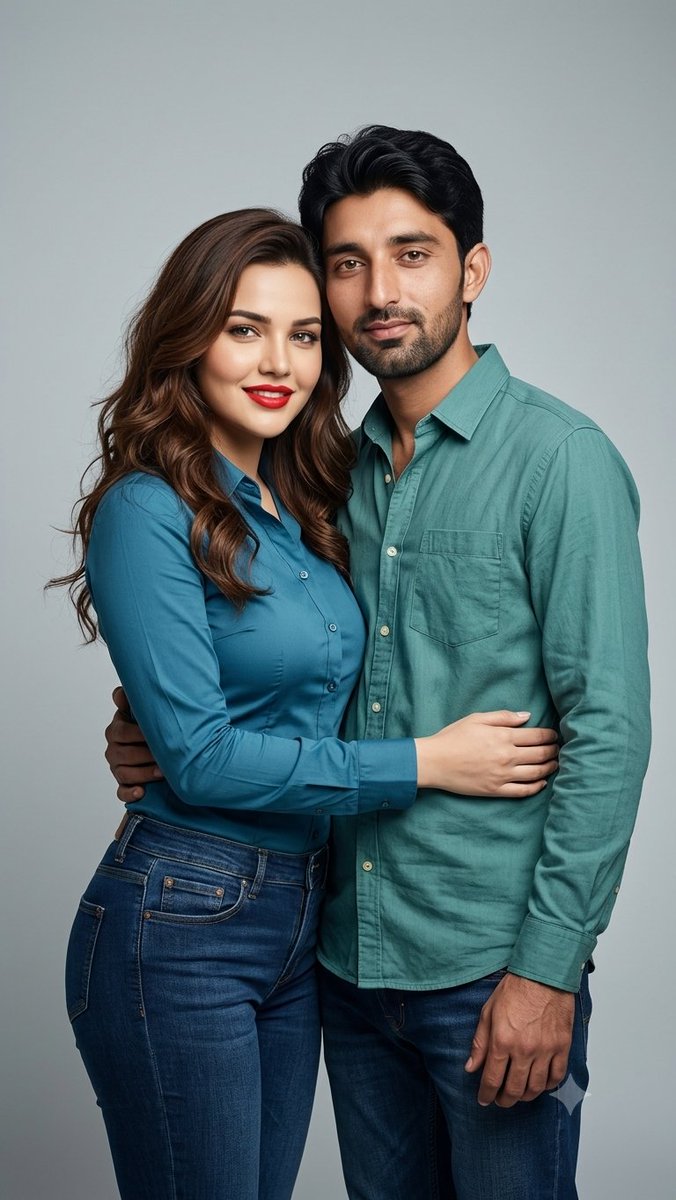
Profile/Avatar - Professional Studio Couple

Studio couple portrait

Profile/Avatar - Professional Studio Couple

Plan a two-person composition using positions, coordinated colors and interaction.

What to check: Specify each person’s features and outfit. Check both faces and any arms that touch or overlap.

Source: Dilshad Hussain
Explore more AI portraits ideas

From a reference photo to a portrait setting

  1. 1

    Prepare clear portrait references

    Choose an evenly lit reference with the whole face visible. For group photos, describe each person’s appearance and position clearly.

  2. 2

    Define the outfit, pose and setting

    Choose one main photography direction. Describe clothing, pose, background and light separately to avoid conflicting instructions.

  3. 3

    Adapt the template and upload a photo

    Replace the example person in the generator, upload your photo and choose a format for half-body or full-body framing. Try one image first.

  4. 4

    Compare likeness and inspect details

    Check facial features, hairstyle, hands and body proportions. Assess clothing and background, then change one main factor for the next attempt.

Separate appearance from photography instructions

Describe the person to reference first, then the outfit, pose, lighting and background. This makes it easier to identify where a result differs from your request.

A reference photo cannot guarantee an exact likeness. Multiple people, complex poses and clothing need extra checking.

Use my uploaded photo of an adult as a reference to create a natural half-body studio portrait. Preserve the facial outline, hairstyle and glasses as closely as possible. Dress the person in a navy casual blazer and white shirt, standing naturally with a slight smile. Use a light gray background, soft side lighting and realistic skin texture. Center the person with space above the head and around the shoulders. Do not add text, logos or other people.

AI portraits: frequently asked questions

How is this different from an AI avatar?

Avatars focus on recognizable faces and small profile picture crops. Portraits place more emphasis on clothing, poses, lighting and settings, including half-body, full-body and group compositions.

Will the generated person definitely look like me?

There is no guarantee. References help communicate appearance, but generation can still change facial features, skin tone or body proportions. Compare with the original before using the image.

Can I try different outfits or group photos?

You can describe outfits and positions in the prompt, but clothing, the number of people and interactions may differ from your request. Start with simple poses and inspect each person.

Can I use these images for official identity documents?

This scene is for portrait and appearance exploration. It does not check official photo specifications or verify identity authenticity. Confirm requirements separately for those uses.

Does using a prompt also add the example image?

Only the selected prompt is loaded into the generator. The example image is not added automatically. Replace the example people, products, brands and text with your own details, and upload your own reference images when needed.

Do I need to sign in, and how are generations charged?

You can browse examples and guides without an account. Sign in to submit a generation. Credit usage depends on output resolution and image count, and available settings depend on your plan. See the pricing page for details.

Explore a new portrait direction

Prepare a reference photo, choose an outfit and setting, and compare results in the generator.

Open generator

Explore more ways to create