Official Guarantee | Direct connection to official models with stable generation, no throttling, and no degraded quality! Pro plans are on sale.Upgrade Now

Explain ideas · Organize sections · Guide the reader

AI Infographic and Learning Card Maker

Turn a topic into a visual explanation. Prepare accurate content first, then arrange headings, sections and illustrations to create a learning card for teaching, sharing or explaining.

Sign in to generate images. A 1K square image costs 1 credit. Other resolutions and image counts are charged according to your settings. Check all text, numbers, facts and diagram directions. Start with content you have already verified.

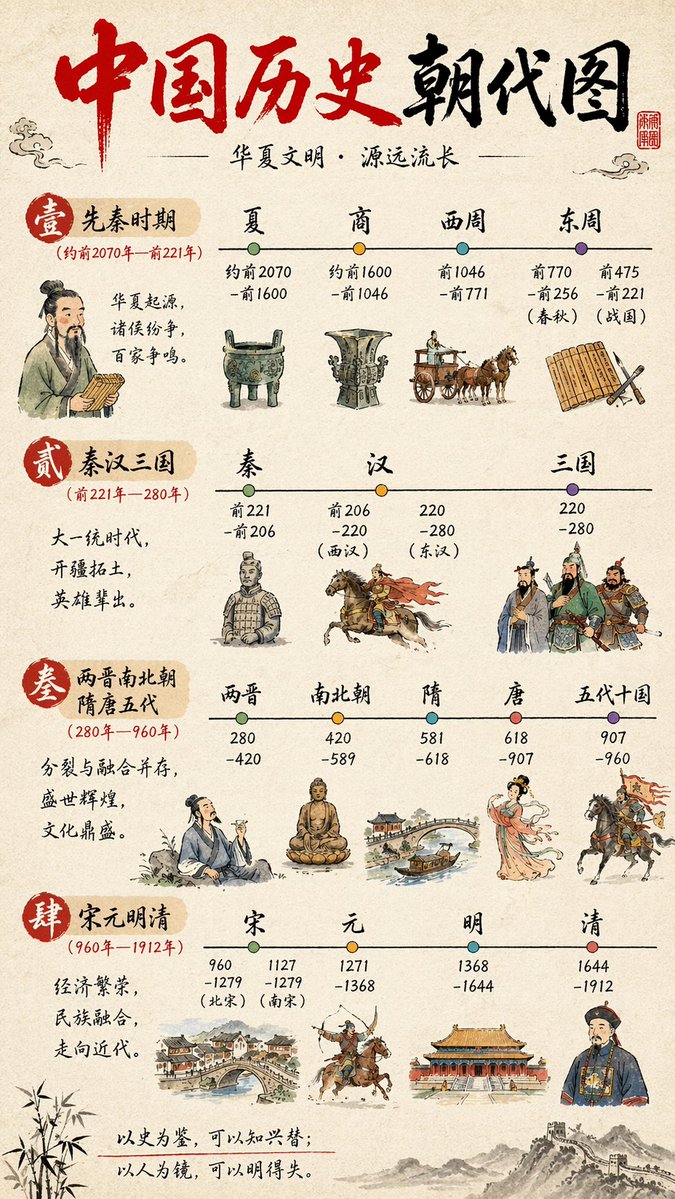
Chinese History Timeline Infographic: Infographics example

Chinese History Timeline Infographic

Inspiration example · Source: axiaisacat · Generated results may vary

Choose a direction for your project

Concept and vocabulary cards

Explain one concept through a definition, examples and illustrations. Keep each section brief enough to read at a smaller size.

Processes and timelines

Specify the steps, dates and sequence, then use arrows or lines to connect them. Keep decoration from obscuring the key information.

Side-by-side comparisons

Use the same criteria and similar layouts for each subject. You supply the comparison; the image provides the visual presentation.

Infographics: inspiration and prompt templates

These examples come from their original creators in the inspiration library. Use them as visual references; they have not all been tested on image2.vip. Study how the sections combine text and imagery, then replace the example topic, language and numbers. Verify historical, recipe and AI model information. Example images are not evidence of factual accuracy or benchmark results.

Chinese History Timeline Infographic

History and timelines

Chinese History Timeline Infographic

Use section headings, dated milestones and small illustrations to organize information in sequence.

What to check: Verify dates, milestones and connecting lines. Split a large topic into a few focused cards.

Source: axiaisacat
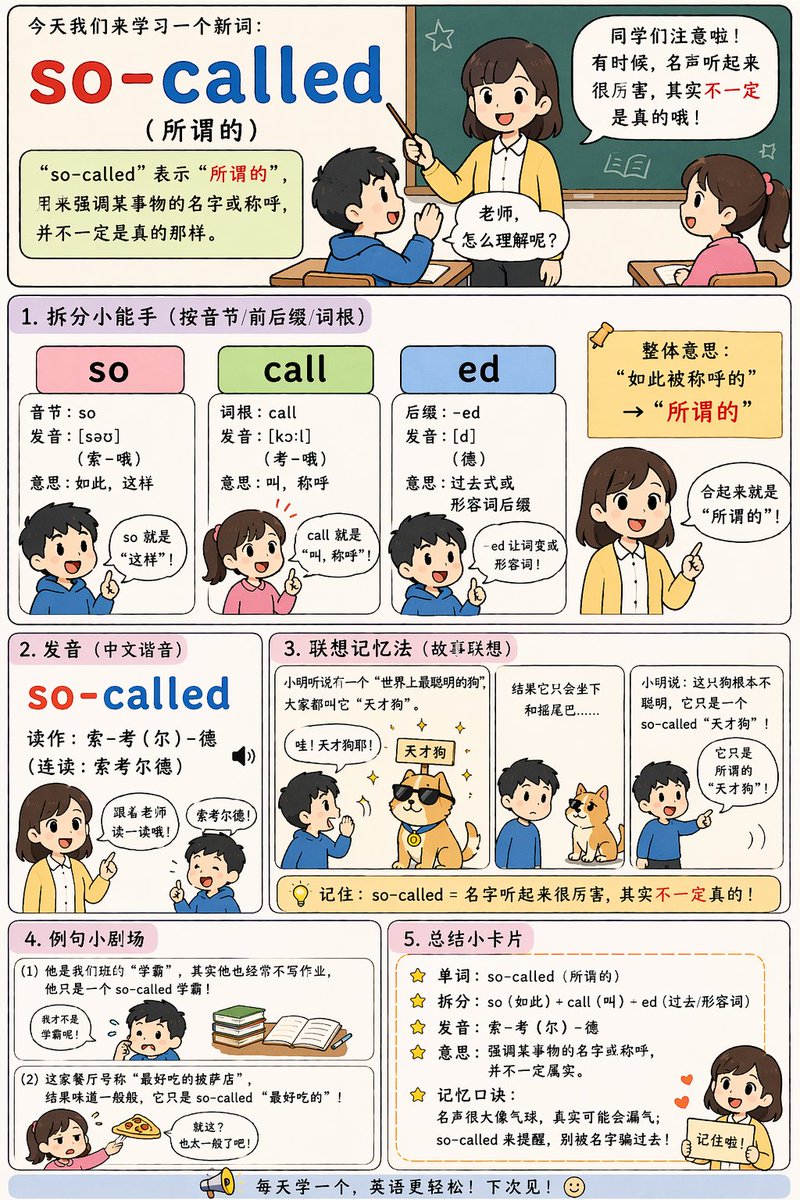
English Vocabulary Teaching Infographic

Vocabulary and learning cards

English Vocabulary Teaching Infographic

Use definitions, examples and a summary to explain one learning point clearly.

What to check: Check meanings, example sentences and pronunciation. Simplify the sections and rewrite the teaching content as needed.

Source: axiaisacat
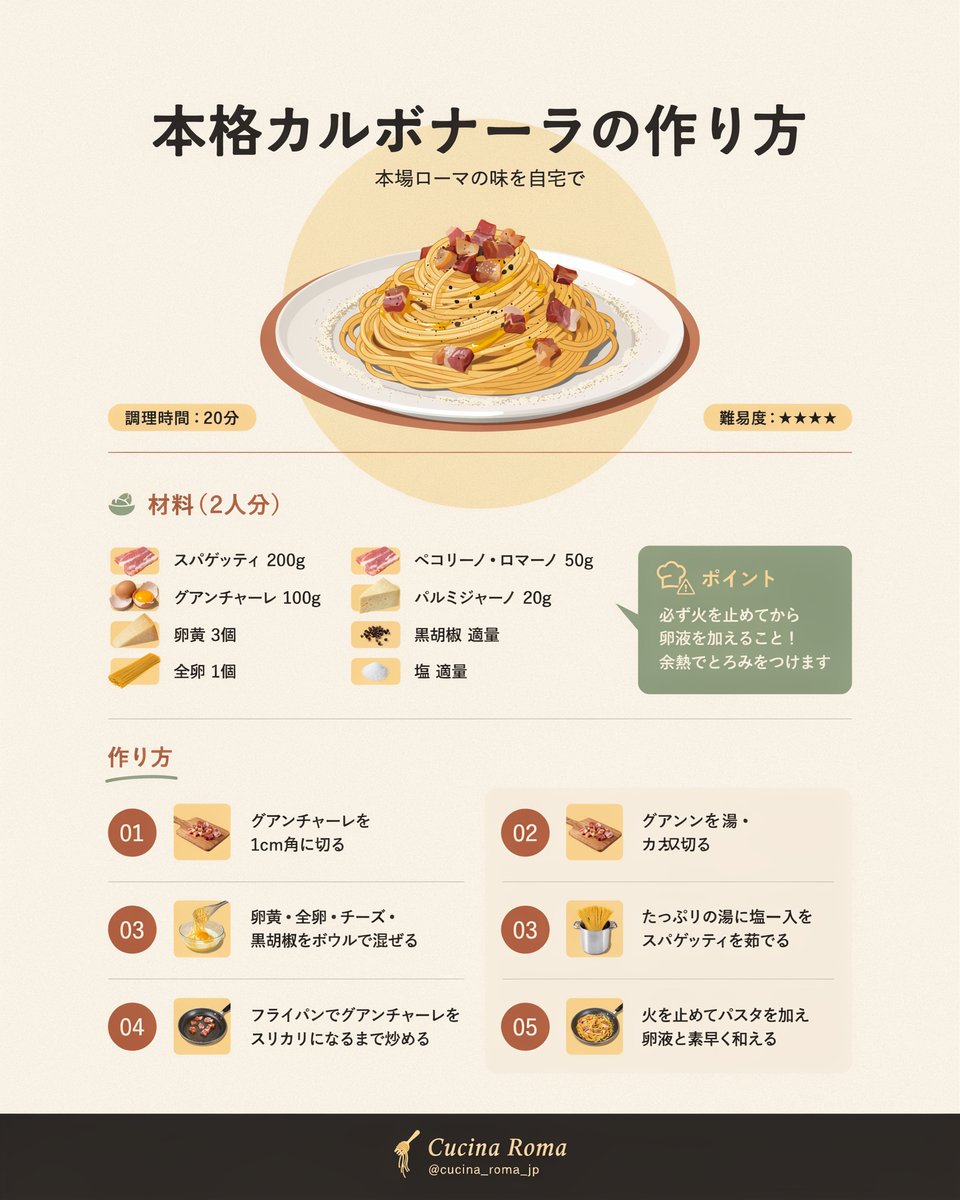
Infographic / Educational Visual - Japanese Carbonara Recipe

Recipes and instructions

Infographic / Educational Visual - Japanese Carbonara Recipe

Study the relationship between the finished dish, ingredient list and steps to organize an instruction sheet.

What to check: Replace the Japanese text and recipe. Verify quantities, step order and the correspondence between icons and instructions.

Source: バナナ🍌
Explore more Infographics ideas

Prepare the content, then generate the infographic

  1. 1

    Choose one explanation goal

    Define what the reader should understand. Prepare accurate definitions, steps or comparisons, and remove unnecessary information.

  2. 2

    Plan sections and reading order

    Specify the heading, number of sections, sequence and illustration positions. Supply the exact text and numbers instead of asking the model to fill them in.

  3. 3

    Choose and adapt a template

    Load a prompt, replace its example content and choose an aspect ratio in the homepage generator. Try one image first to check whether the layout is too crowded.

  4. 4

    Check text and connections

    Review every word, number, label, line and arrow. Check readability at a smaller size before editing further or using the result.

Provide the content before the visual structure

Separate the exact copy from the layout instructions. Give each section one main point, and use consistent type sizes and a small color palette to help readers follow it.

The output is an infographic image. Its text and charts cannot be edited individually as they would be in layout software.

Create a portrait learning card titled "How to Organize Reading Notes". Read from top to bottom, with three sections using this exact copy: 1. Record the key ideas; 2. Write down your questions; 3. Explain with one example. Add one simple line icon per section and connect the sections with thin arrows. Use a light beige background, dark gray headings and teal accents, with space around the edges. Do not add facts, numbers or other text.

Infographics: frequently asked questions

Can I enter a long article directly?

First reduce it to a few key points, then include them in the prompt. Dense text needs closer checks for omissions, typos and crowded layouts. Split complex subjects across several images.

Are the facts and data automatically correct?

No. Supply verified content and check the text, numbers and illustrations individually. A generated visual does not replace fact-checking.

Can I export an editable presentation or chart?

The current output is an image, not a PowerPoint, spreadsheet or editable chart file. Use another layout tool if you need precise data charts or further text editing.

How is this different from a Xiaohongshu (RedNote) cover?

A cover helps readers identify a topic; an infographic explains the content itself. Detailed steps, timelines and comparisons fit an infographic, while covers usually need less text.

Does using a prompt also add the example image?

Only the selected prompt is loaded into the generator. The example image is not added automatically. Replace the example people, products, brands and text with your own details, and upload your own reference images when needed.

Do I need to sign in, and how are generations charged?

You can browse examples and guides without an account. Sign in to submit a generation. Credit usage depends on output resolution and image count, and available settings depend on your plan. See the pricing page for details.

Turn one topic into a visual explanation

Prepare accurate copy, choose a section layout and try it in the generator.

Open generator

Explore more ways to create